This walkthrough assumes you have registered for the site and logged in. If you have not registered for the site, see that stage of the walkthrough on the registration page.
So now you’re registered, and would like to solve some puzzles!
1. Select the “Play Puzzles” page
Press the Rätselspaß button in the fourth tab at the top of any page on the site. The result will be this page:

2. Select the “Prize Puzzles” page
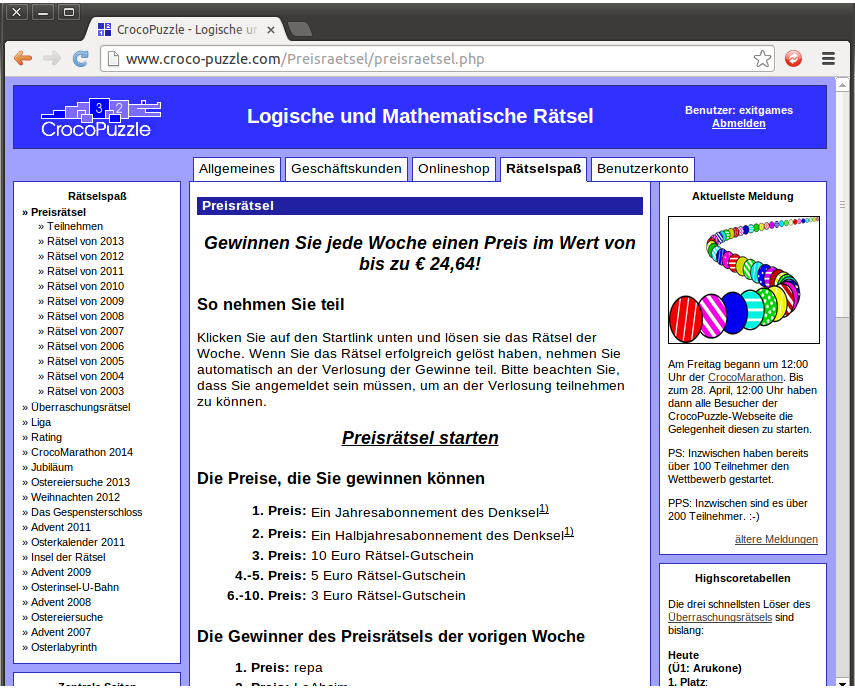
There are several different sections with lots of different puzzles, but in this walk-through we will concern ourselves with the top-left one, about prize puzzles. There is no charge for participation; winners are selected at random from those who submit correct answers, and prizes are .pdf format puzzle magazines or credit for the online shop.
Click on the Preisratsel box, or the link beneath it. The result will be a rather long page, of which we will display the top and bottom:
3. Select a prize puzzle to play
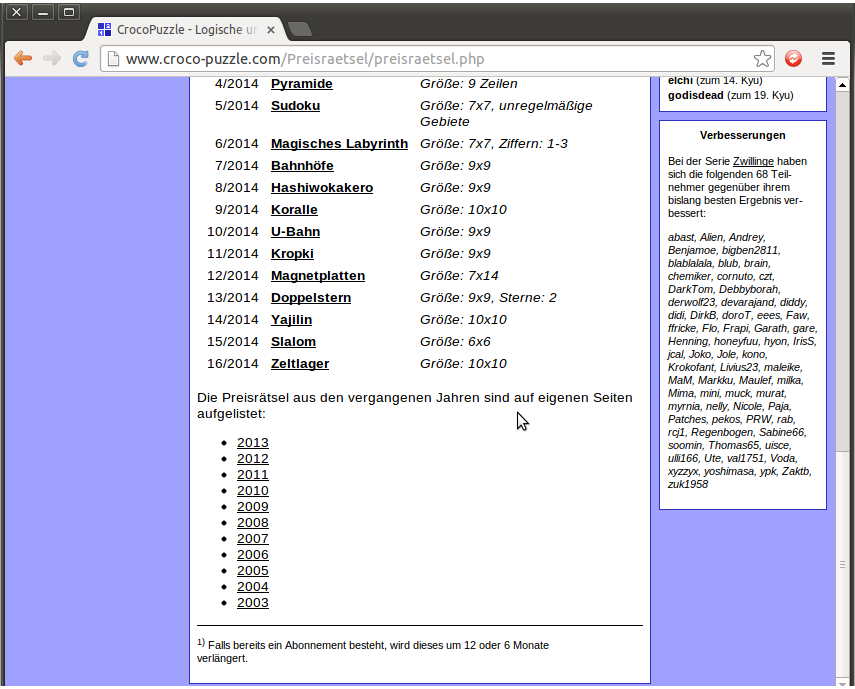
The top of the page discusses the prizes on offer and who has won them from the most recently completed prize puzzle. The bottom of the page shows this year’s (almost) weekly prize puzzles, along with links to get to archives of prize puzzles from the past ten years.
Only the current week’s prize puzzle actually can be played for a possible prize, and you can get to it by clicking the Preisrätsel starten link near the top. However, it’s possible to play any of the old prize puzzles just for fun. So not to spoil the current prize puzzle, we’ll play puzzle 15/2014, the one most recently concluded at the time of writing. Clicking on the puzzle name, “Slalom”, and waiting for a Java applet to load, gives this result:

4. Learning the rules of this puzzle
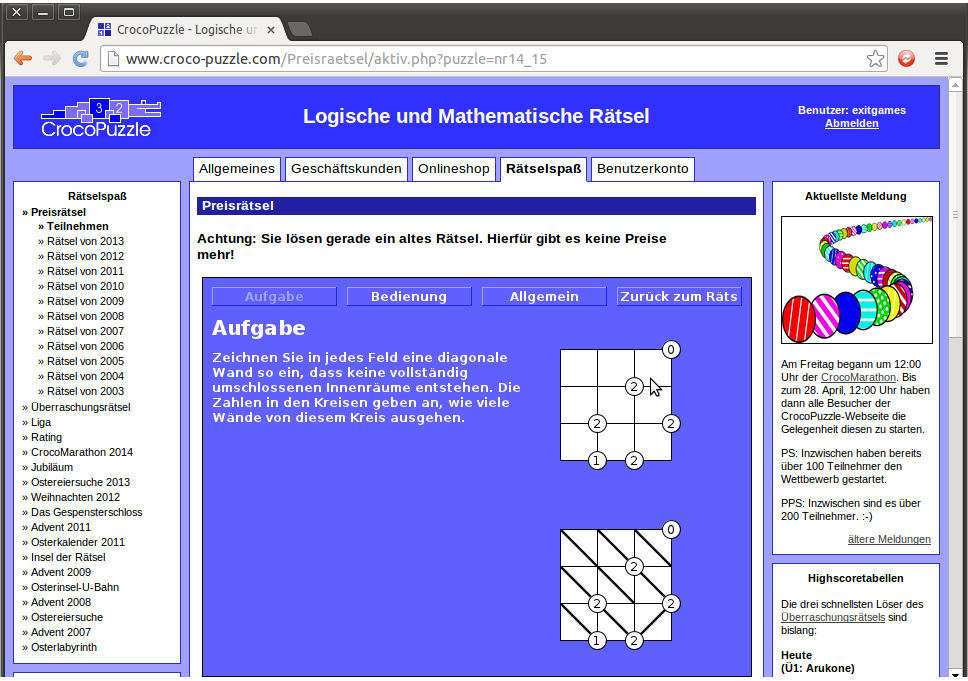
This is a “Slalom” puzzle that tests spatial awareness, counting and pattern recognition. Clicking on the “Anleitung” button will take you to the rules of the puzzle, giving you this result:
5. Playing the puzzle
You may or may not be familiar with Slalom puzzles, possibly under another name. In Simon Tatham’s Portable Puzzle Collection, an all-formats all-time computer puzzle classic, they’re known as “Slant”; they were originally published by the Nikoli magazine company under the name by which they are known on Wikipedia, Gokigen Naname. There are plenty of them to practice at the brilliant janko.at puzzle site. However, if you’re not familiar with them, or any of the other applet puzzles at Croco-Puzzle, there’s a list of translations at the UKPA forum.
Looking at the translation for this puzzle, there are only two rules:
“Draw a diagonal line in every cell so that no closed loops are formed.
The numbers at some vertices indicate how many segments meet at that vertex.”
That’s all you need. Click on “Zuruck zum Rats” to get back to the puzzle. Filling in the first four lines produces the following:
We will use the “the numbers at some vertices indicate how many segments meet at that vertex” criterion a lot to begin with. A 4 means that all four diagonal lines must point towards the number, which gives us this:
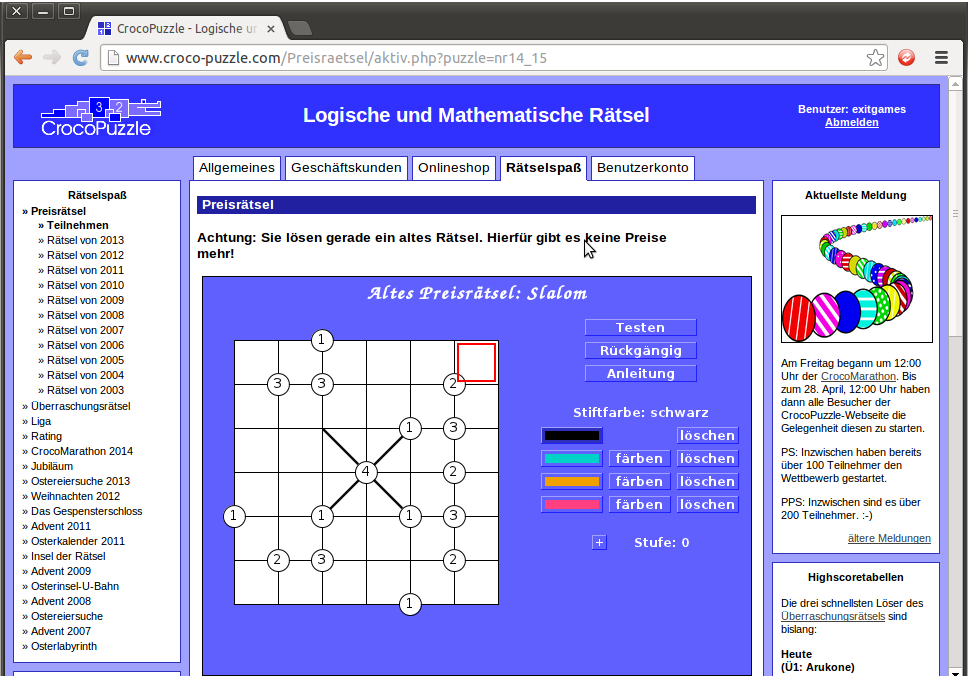
We now have three “1”s, each of which already has a line pointing towards it, so we know that none of the other three cells point towards the “1” in each case, letting us fill in nine more cells to produce this:
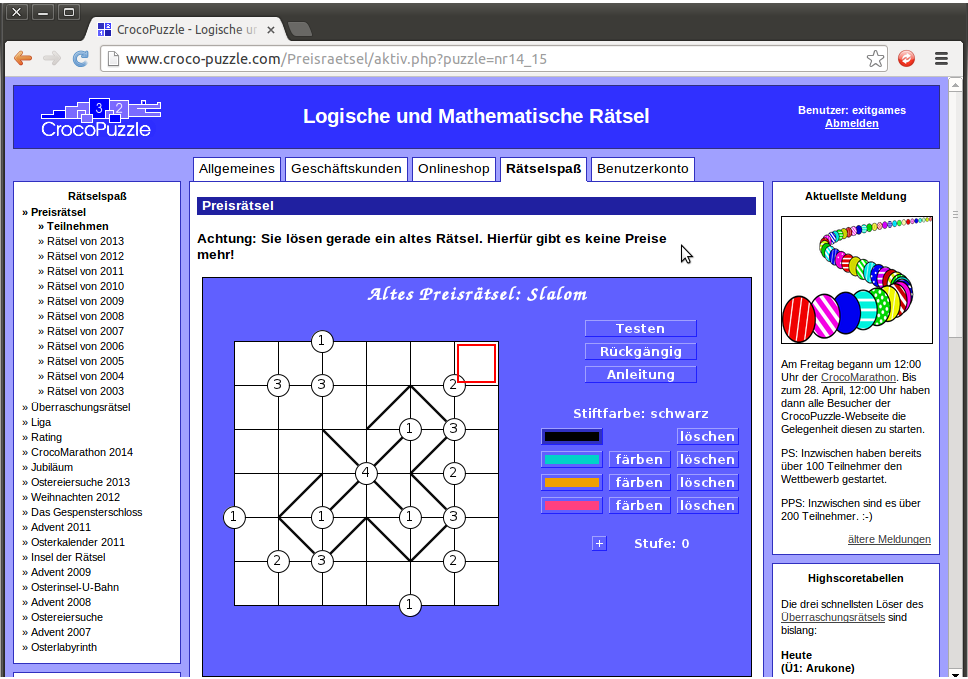
We can see a “2” on the middle right with two cells not pointing to it, thus we know that the other two cells must point to it.
Next, by similar logic, we now have two “3”s on the right-hand side, each of which have one cell not pointing to it, thus we know that the other three cells must point to it.
Next, we can see two “2”s at top right and bottom right with two cells not pointing to it, thus we know that the other two cells must point to it.
Lastly, we have a “1” on the bottom row with one cell pointing to it, so we know that the other cell must not point to it. Marking all these in produces this:
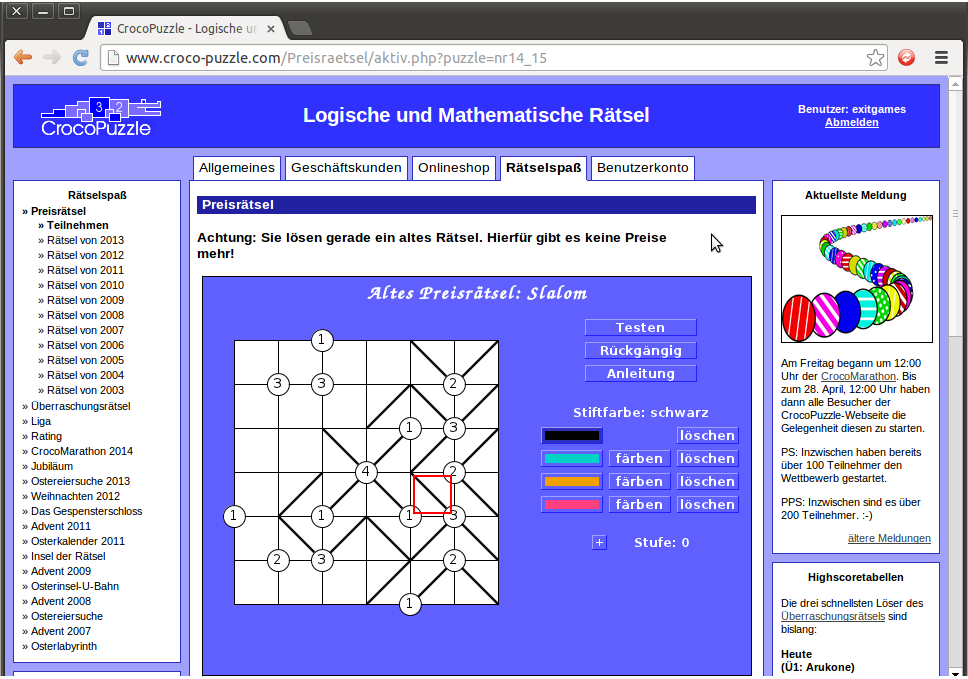
We now use the “no closed loops are formed” criterion to fill in the rest of the bottom row. Specifically, “no closed loops are formed” means that there can’t be any completed boxes within the grid and thus we cannot have a line pointing to the 3 near the bottom because that would complete an angled square. Accordingly, we fill that cell in the other way, and we use similar logic to the above regarding the 3, 2 and 1 near the bottom left, to produce this:
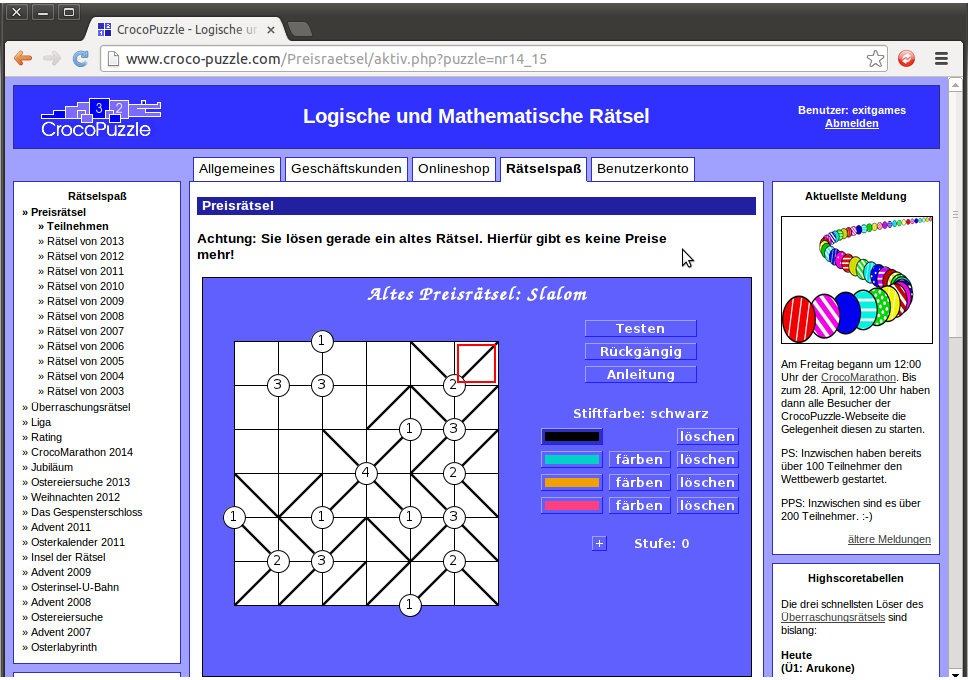
The two 3s in the top-left are a standard formation. Consider the two cells between the two 3s; one must point one way, and the other must point the other, otherwise one of those 3s would be a 2 at most. Accordingly, we know that the cells on the other sides of the 3s must point to the 3s, as follows:
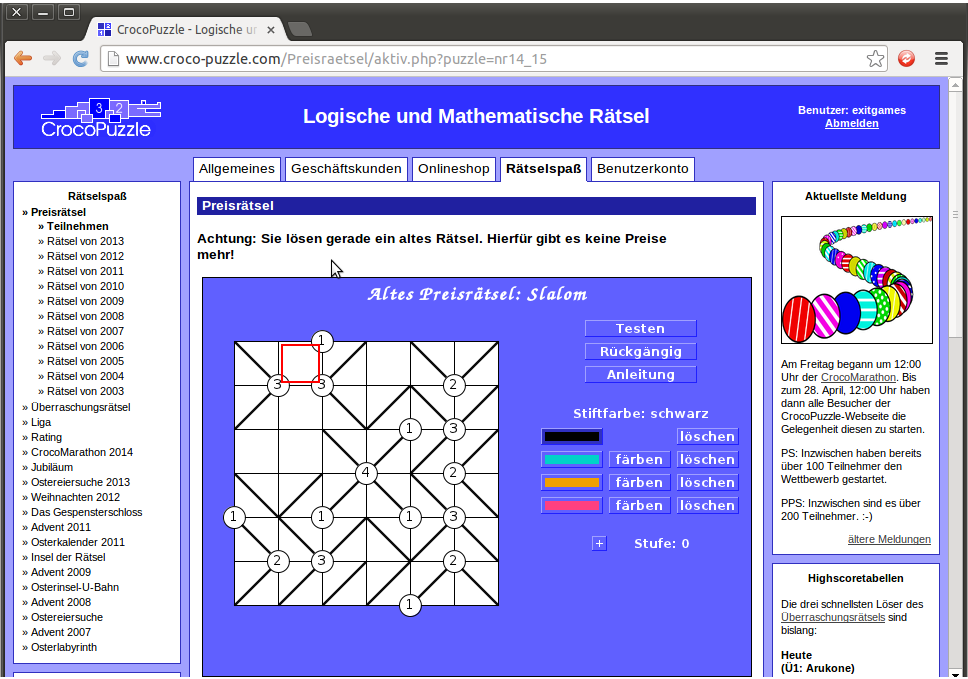
This now gives us a 1 cell with one line pointing towards it and a three-quarters closed box where we apply the “no closed loops are formed” rule to produce this:
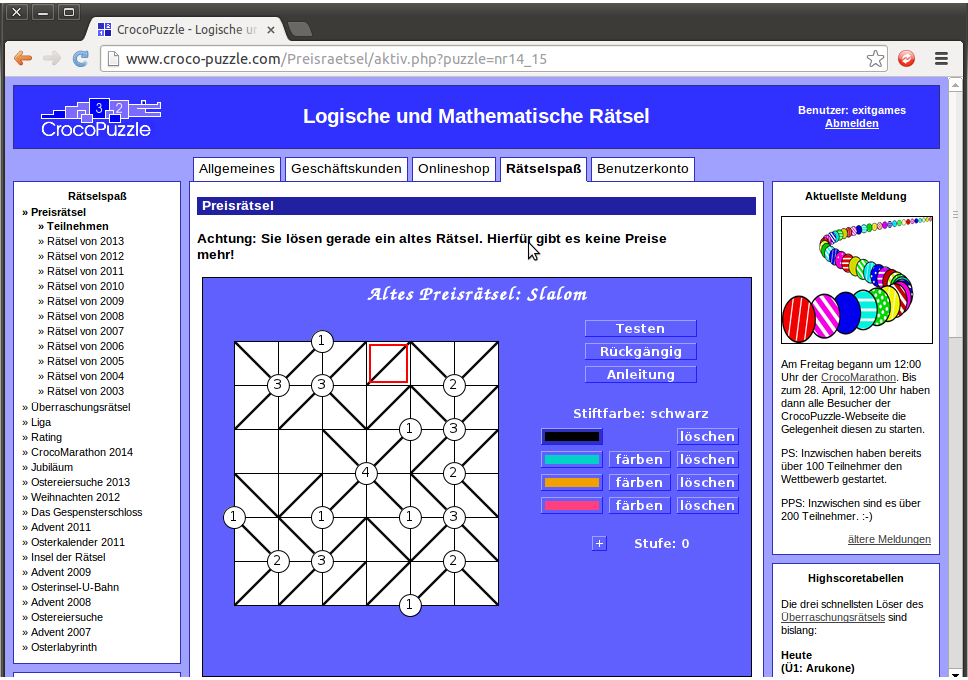
So we’re almost done, with only two cells to fill in. At this point, I’ll discuss some of the other boxes in the applet. By default, cells are filled in with black ink. However, clicking on the pink, orange or blue boxes will let you change the colour of ink you use. If we click on the pink box and attempt one way to fill the last two cells in, we get this:
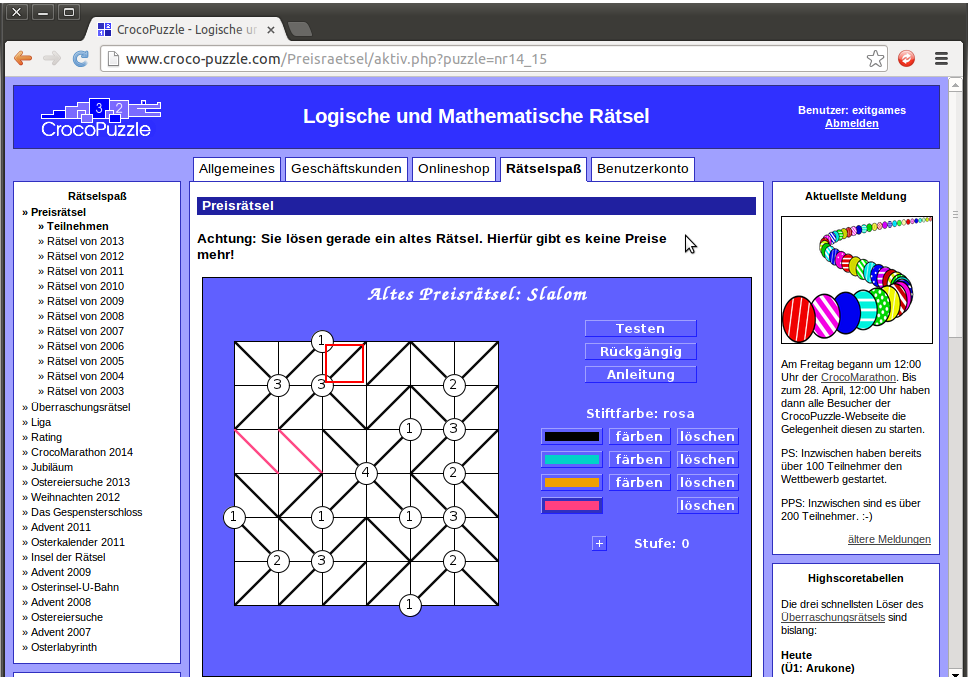
This is incorrect, as there is a large closed loop around the central “X”. The “Ruckgangig” button acts as an “undo” to remove cells filled in since the last colour change.
(As a side note, the “Stiftfarbe” indication shows that you have selected the “rosa” or pink pen. The “farben” buttons, by the other colour blocks, will turn all lines in the “other” colour into the active colour, and the “loschen” buttons by the colour blocks will blank all lines in the relevant colour. Don’t forget you can use “Ruckgangig” to remove any changes you don’t like!)
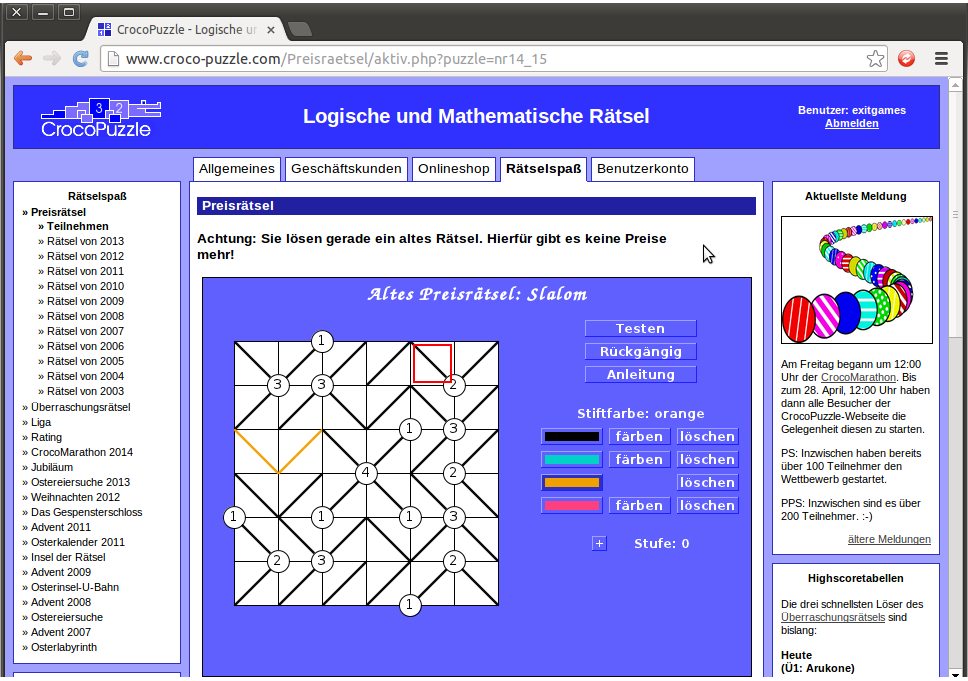
So let’s press “Ruckgangig” to erase the incorrect pink lines, change to orange, and fill them in the only legal fashion, like so:
…and once you’re happy with your solution, press “Testen” to test it. If it’s incorrect, any unfilled or incorrectly filled cells will flash red. If it’s correct, all the cells will flash blue, like this:
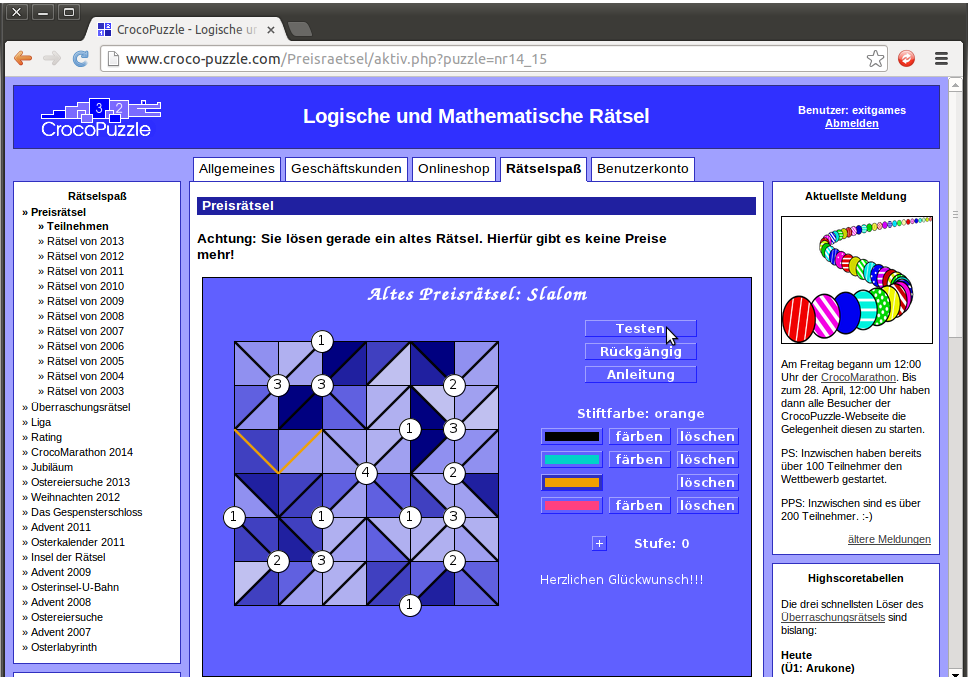
…and we’re done! If we had completed that prize puzzle while it was active, there’s a chance that we would have received e-mail notifying us that we had won credit for the online store.
There are 40 different types of puzzle applets on the Croco-Puzzle site. You can play them all through the Prize puzzle archives over the year, but there’s another way to get introduced to them:
6. The Croco-Marathon
Press the Rätselspaß button in the fourth tab at the top of any page on the site The result will be this page:
The site often has fun additional competitions at Easter or at Christmas, sometimes extremely intricate ones. This Easter, the additional competition is the Croco-Marathon. We’ll click on the CrocoMarathon box at the bottom right, to produce a long page, of which this is the top:
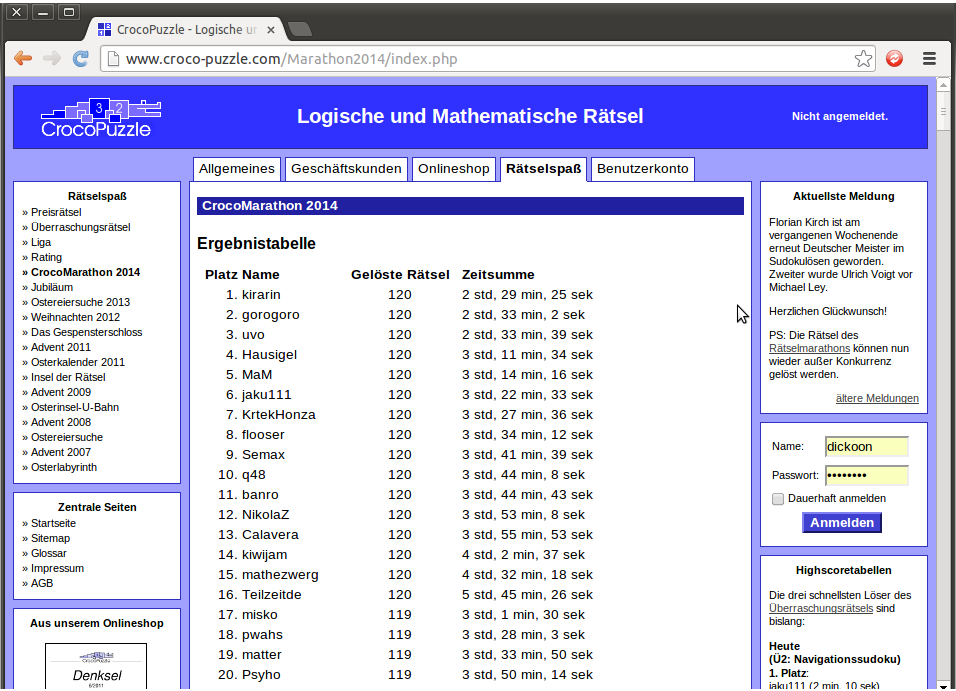
The CrocoMarathon gives you a chance to play three examples of each of the 40 types of puzzle applet on the site. This ran for a while as a timed contest; picking a starting-point of your choice, you had 24 hours from that point to solve as many of the 120 puzzles as you could. For each of the 120 puzzles, you had ten minutes to complete it in order to score a point from it. They’re not the biggest examples of these puzzles; as you can see, some of the fastest solvers in the world have solved all 120 correctly in about two and a half hours.
Since the timed contest finished, all 120 puzzles are available for people to solve at their leisure. Scroll further down and you will see this part of the page:
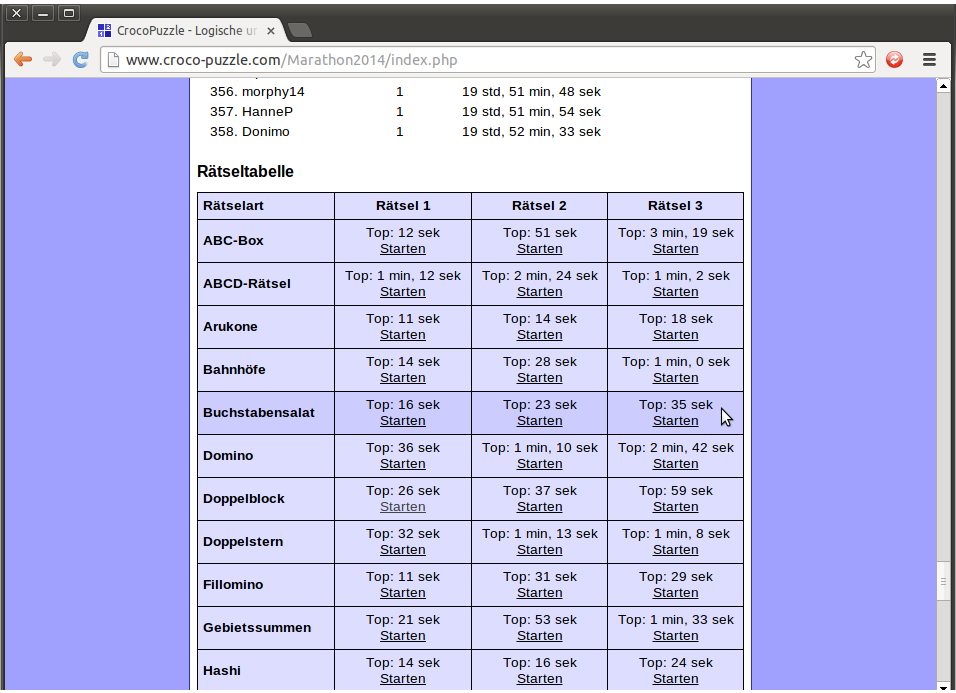
This is the top of a chart with the 40 types of puzzles and the three examples available for each one, along with the fastest solution time for that puzzle, as proof of the puzzles’ shortness.
Clicking on “Starten” will start on the puzzle of your choice. The process of solving them is exactly the same as it is for the prize puzzles above.
Croco-Puzzle walkthrough: Registration § Prize puzzles § Daily puzzles § Freeform puzzles § The Croco-League § Ratings and ranking